DNA.M points
DNA.M is a loyalty-points program — you extract points through your activity on MercyChain, and you can redeem them here on Anvil for books (and, over time, gifts and discounts). Your points live in the Pearl Shell app. When you redeem points for a book, only the AED 15.00 delivery fee is charged to your card.
How redeeming works
No copying, no pasting — you just approve a request in Pearl Shell.
Choose Redeem DNA.M
On Anvil, pick your book or voucher and choose Redeem DNA.M. We send a payment request straight to your Pearl Shell.
Approve in Pearl Shell
Tap the notification bell, open the request from MercyChain, check the red box and tap Continue, then Confirm & Enter PIN.Show me how
Come back — done
Anvil confirms automatically. For a book, just pay the AED 15.00 delivery fee by card.
What you'll see
In Pearl Shell your DNA.M points are shown as “Pearls” — that's the app's name for them.
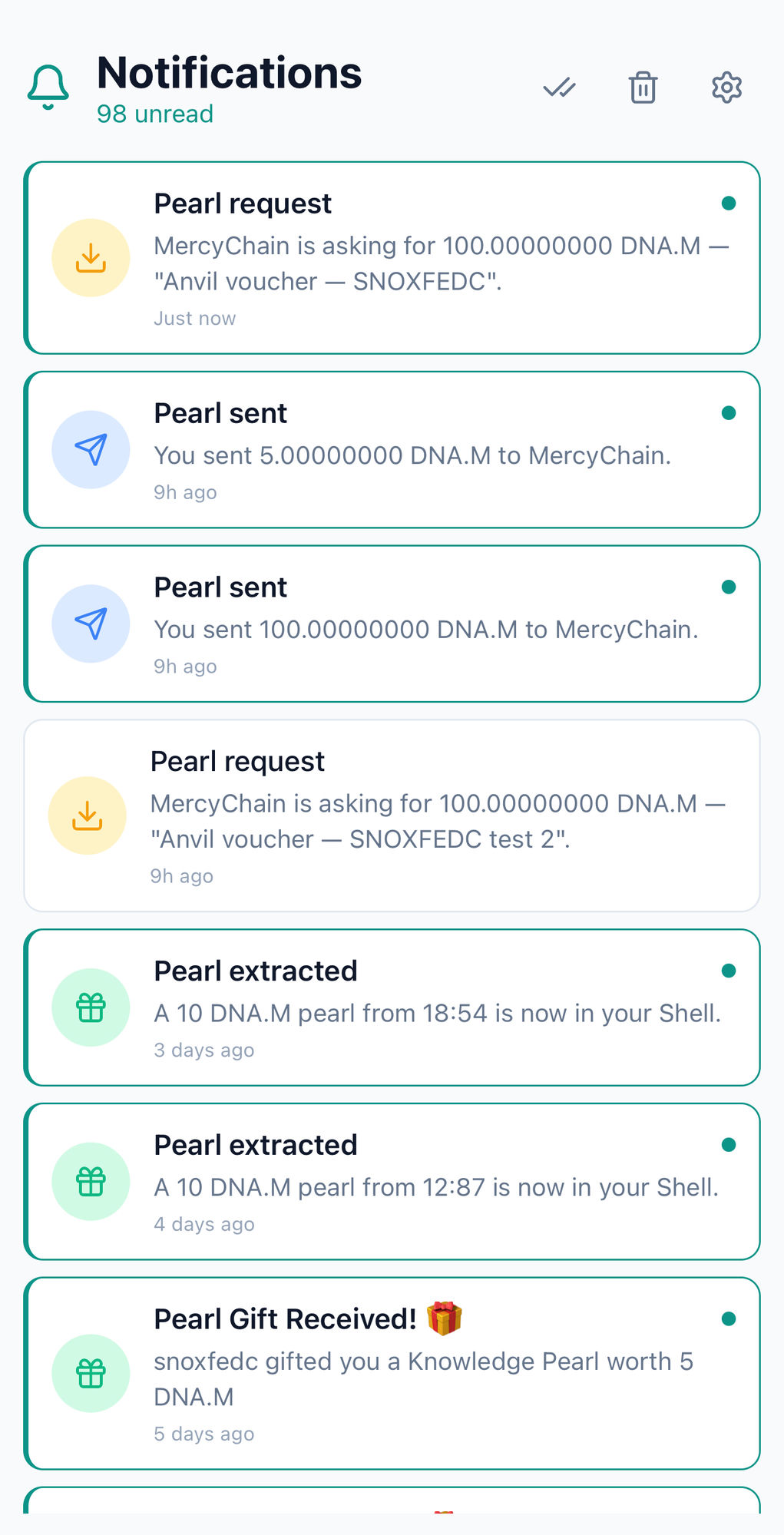
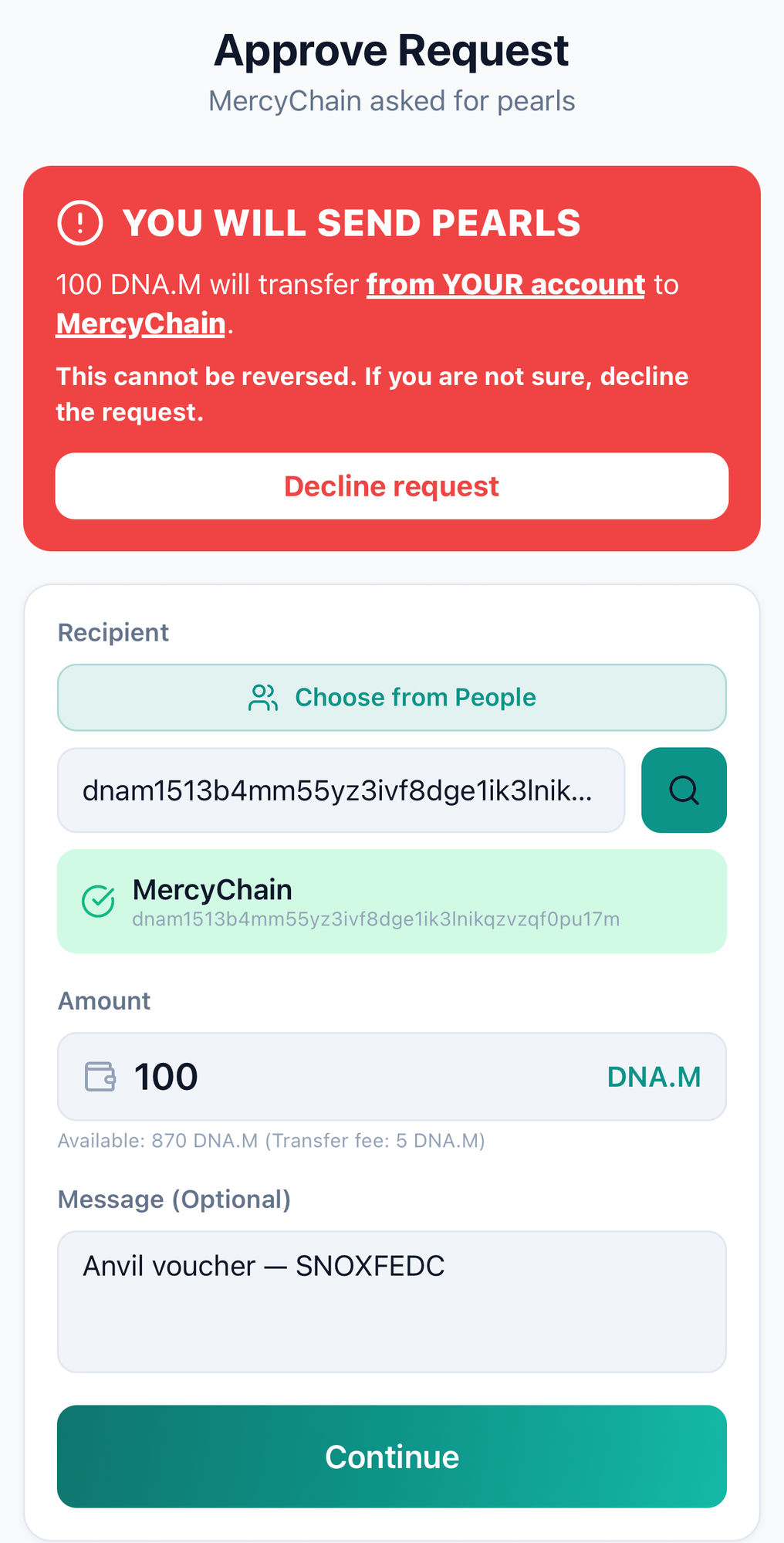
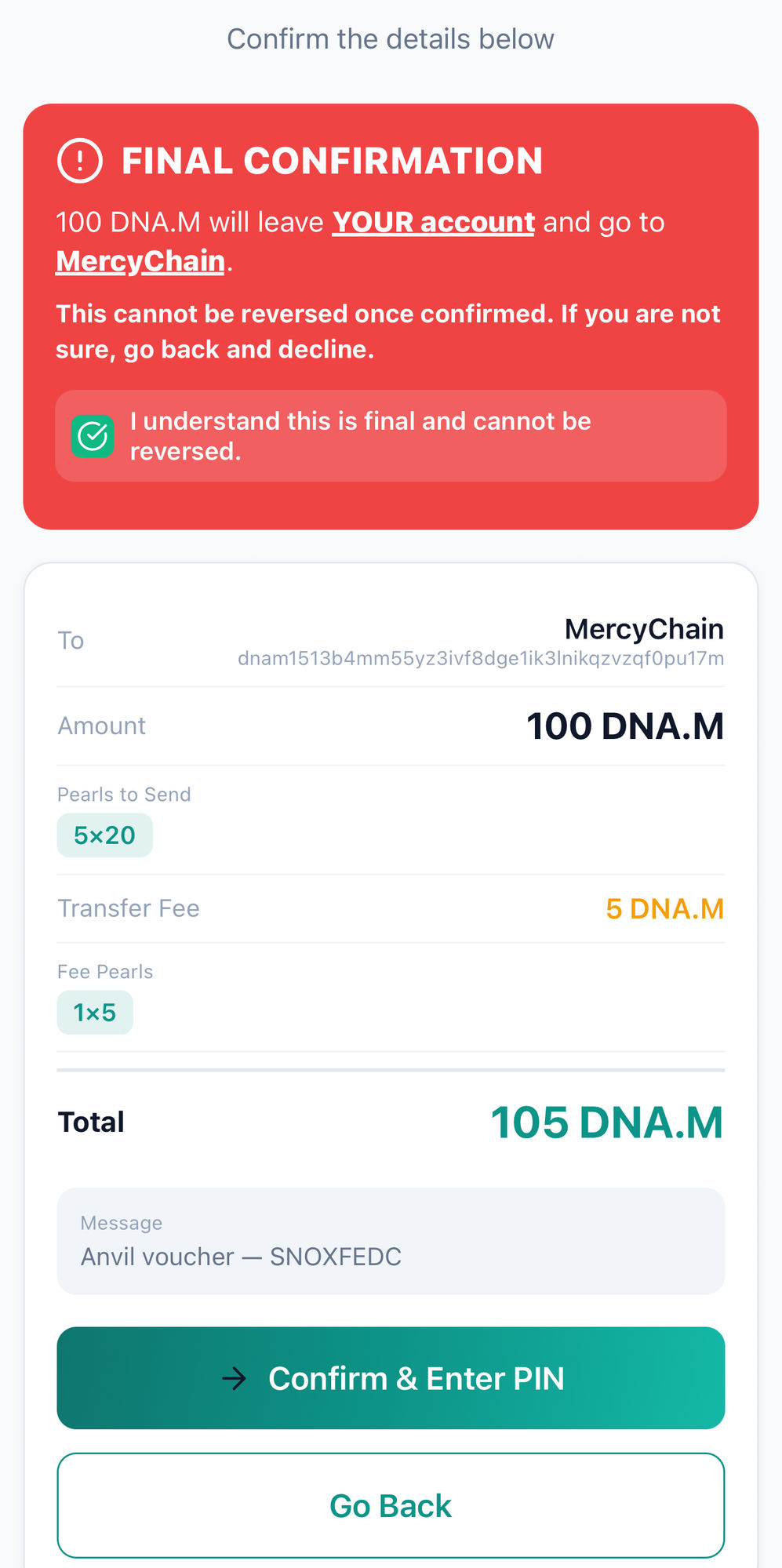
No addresses. No numbers. Just Approve.
You never copy an address or a transfer number. When you choose Redeem DNA.M, Anvil fills everything into the request for you — open Pearl Shell, check the amount in the red confirmation box, and approve it with your PIN.
Open Pearl ShellOpens the app on your notifications, where the request is waiting. Don't have it yet? Get Pearl Shell.
Your redemption is verified
We confirm the points came from your own Pearl Shell, went to Anvil, and cover the book before charging delivery. Each payment is single-use and verified, so your reserved book is safe.
Good to know
Are DNA.M points money?
No. DNA.M points are loyalty rewards you extract through activity on MercyChain. They're not a currency — you redeem them for books and other rewards on Anvil.
Why do I still pay delivery by card?
Your points cover the book itself. The flat AED 15.00pickup & delivery fee is paid separately by card so we can collect the book and bring it to you.
Which books can I redeem points for?
Only books the owner chose to make redeemable. Use the Redeem DNA.M points filter to see them.
The website isn't confirming my approval.
Make sure you actually tapped Approveon the request from MercyChain and entered your PIN — not just opened it. It can take a few seconds; the page picks it up automatically, or tap “I've approved it” to check now. Don't see a request? Open your notifications in Pearl Shell.